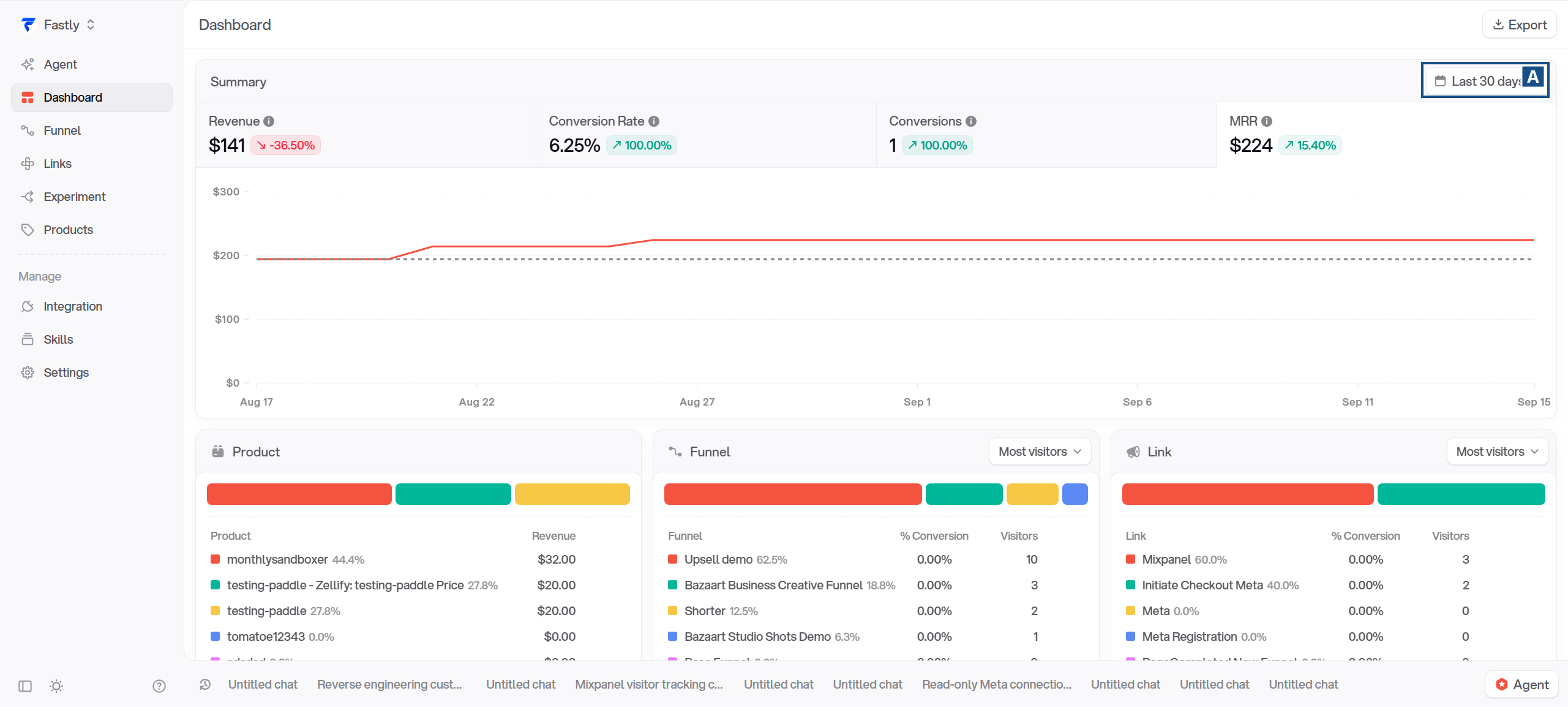
Last 30 days selects the period being reported. The selected dates and daily buckets use the organization timezone. The trend badges compare the selected period with the immediately preceding period of the same length.
Trend = 100 × (current − previous) / previous
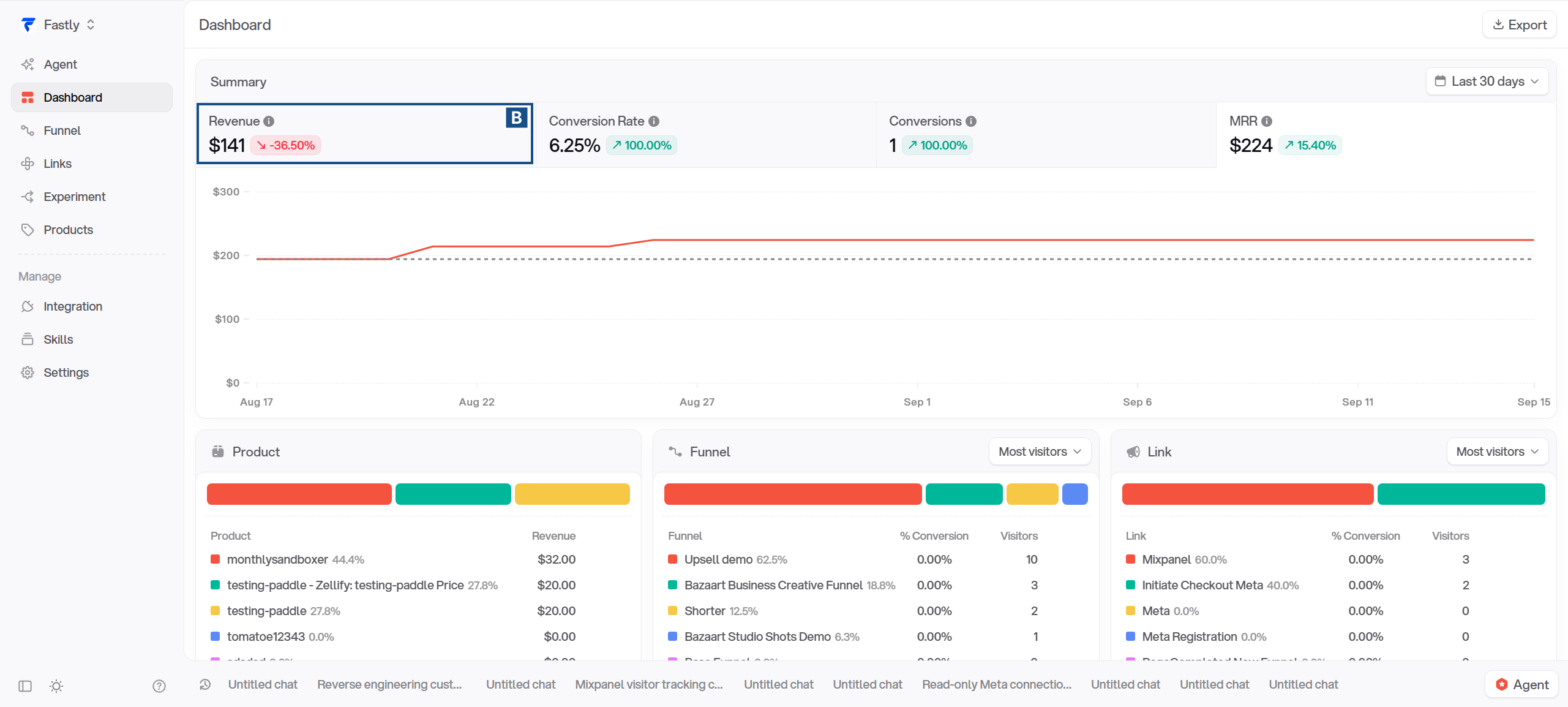
B Revenue
S02-B
How revenue is calculated
Revenue adds the provider totals recorded for your Zellify funnels in the selected period. A transaction is included once it has been completed, using its recorded completion date. Refunds are not subtracted, and a recorded total can differ from the cash collected from the buyer.
These payments can be:
One-time purchases and upsells.
Initial subscription payments.
Paid trials and payments after a free trial.
Subscription renewals.
Charges from subscription schedule phases, as their invoices are paid.
Charges from subscription changes that produce a paid invoice.
Currency: payment amounts are stored in the currency the customer paid, in that currency’s smallest units. They are converted to USD when the report is queried, using the daily exchange rate for the recorded UTC completion date. The rate-refresh job runs every six hours; the rates themselves are daily.
Revenue = sum of included recorded totals converted to USD
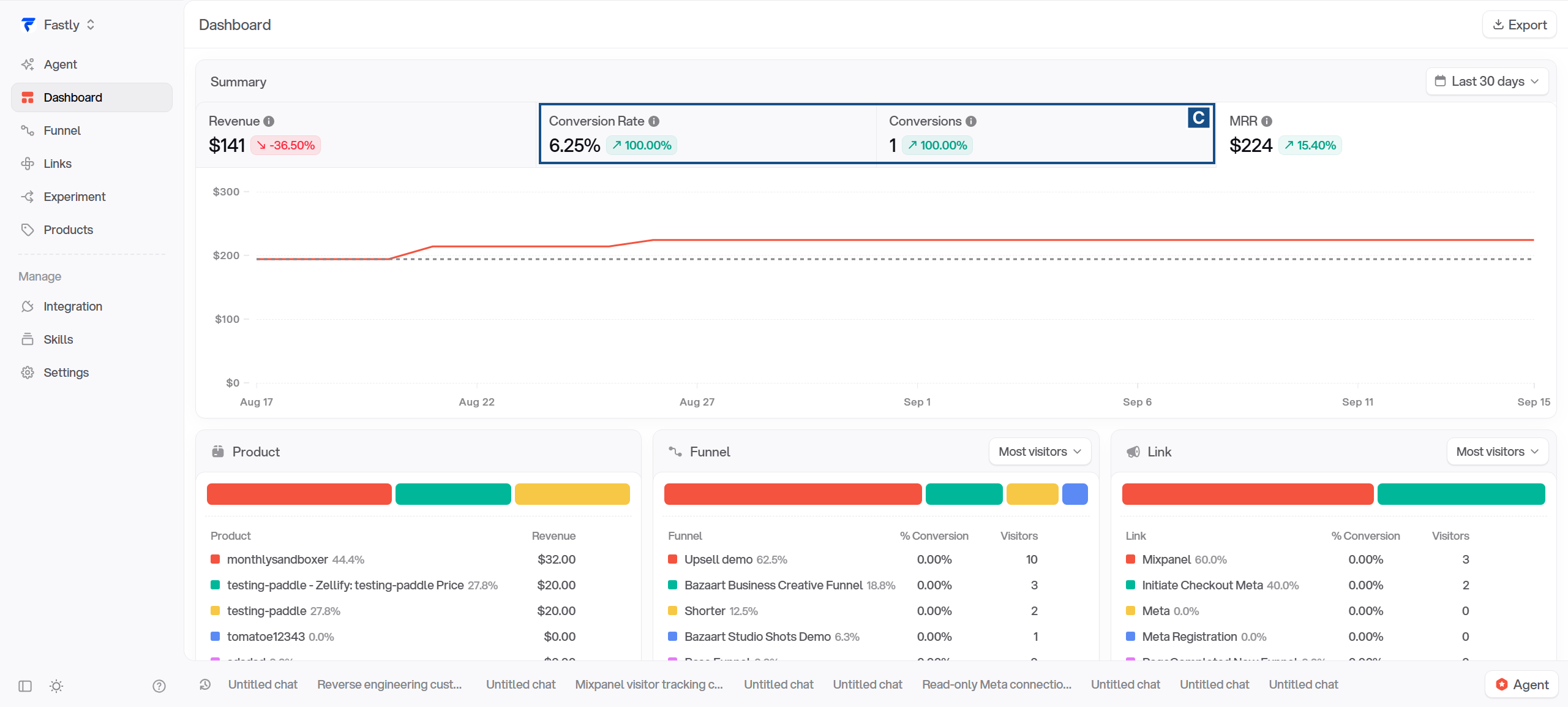
C Conversion rate and conversions
S02-C
What counts as a conversion
Conversions count completed, funnel-originated payments, deduplicated by session_id within each day. Two payments from the same session on the same day count as one conversion. Automatic subscription renewals do not add conversions.
A refunded payment is still a completed one. Refunding does not remove the conversion, the same way it does not subtract from Revenue.
The Conversions headline is the sum of the daily conversion counts. A session can count again if it completes another funnel-originated payment on a different day.
Daily and period conversion rates
Each point on the chart shows that day’s conversion rate. The headline shows total conversions divided by total visits across the selected period. This gives days with more visits more weight.
Daily rate = daily conversions ÷ daily visits × 100 Period rate = total conversions ÷ total visits × 100
Example: a two-day reporting period.
Day
Conversions
Visits
Daily rate
Day 1
1
10
10%
Day 2
9
30
30%
The period’s conversion rate is (1 + 9) ÷ (10 + 30) × 100 = 25%. Giving both days equal weight would produce 20%.
One session can visit on Monday, then convert on Tuesday and Wednesday. Across those three days, the period has two conversions and one visit, so the rate is 200%. If a selected period has zero visits, the UI shows 0% even when it has conversions.
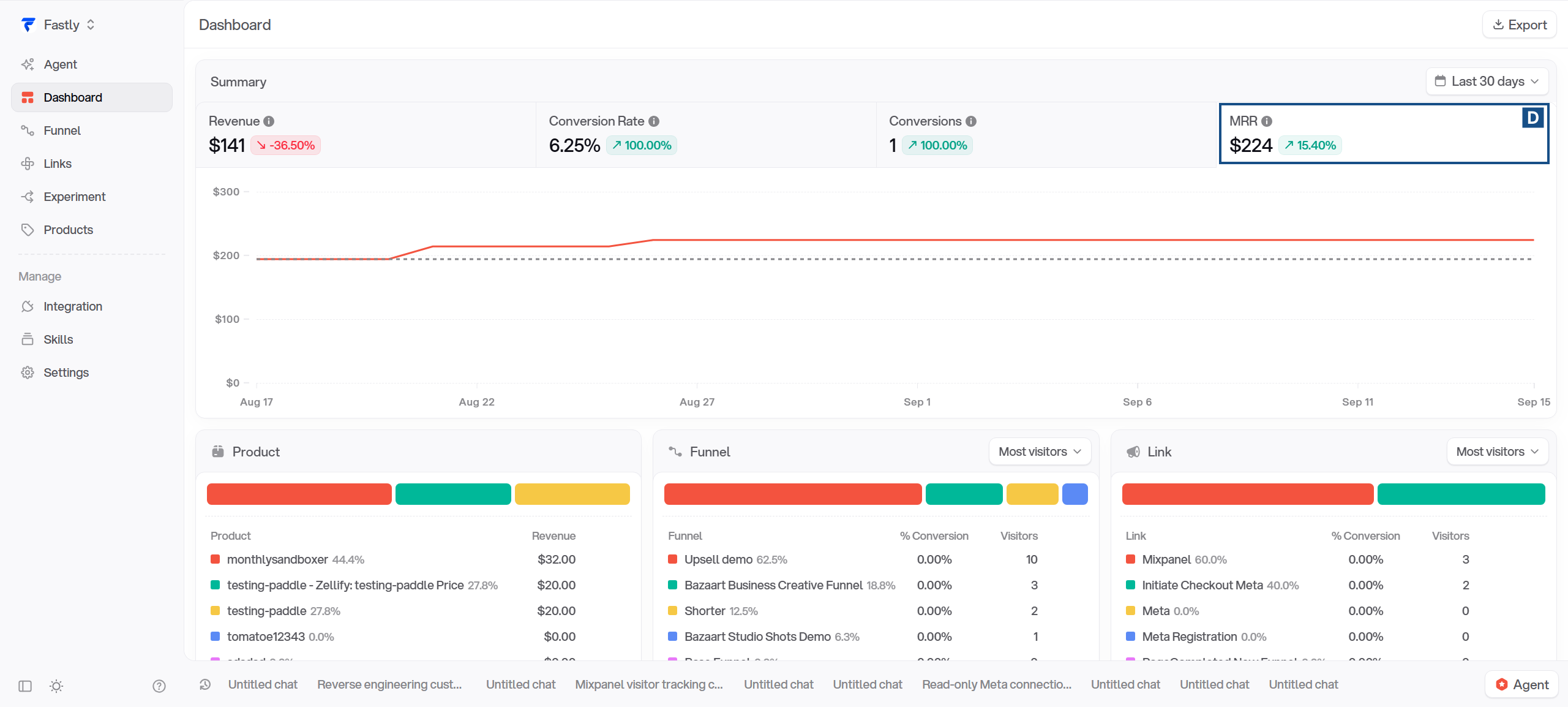
D MRR
S02-D
What MRR measures
MRR (monthly recurring revenue) is what all active subscriptions would bring in per month if nothing changed. Each subscription is priced from its product record in Tinybird, which stores the recurring price already converted to a monthly amount, times the subscription's quantity.
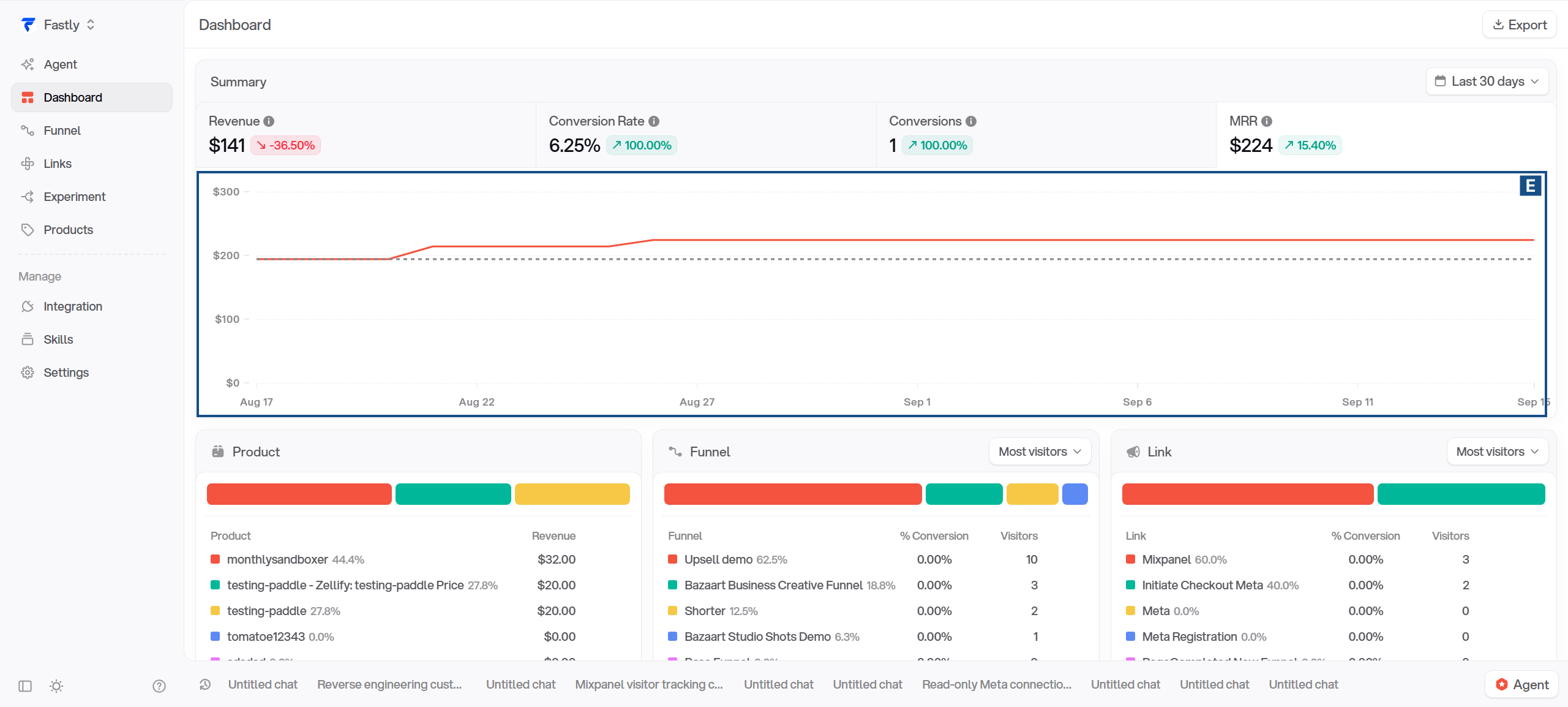
Each date on the chart has its own MRR value. The headline shows the value for the last day of the selected period.
Turn each recurring price into a monthly amount
Recurring price
Calculation
Monthly amount
$12 every month
$12 ÷ 1
$12
$120 every year
$120 ÷ 12
$10
$30 every 3 months
$30 ÷ 3
$10
$12 every week
$12 × 52 ÷ 12
$52
One-time products do not contribute to MRR.
Where the saved price comes from
Payment and subscription events supply product details. Zellify saves the price, currency, and billing period in Tinybird, the analytics database. Successful-payment, failed-payment, and subscription events can update this data; refunds and voids do not update it.
Within an organization, the payment provider, product ID, and price ID identify the shared product-price record. Subscriptions referring to that record use the same saved price. There is not a separate product-price record for each customer.
The latest record written by the worker is used. An older event processed later can therefore replace a price saved earlier. For Solidgate, the mapping uses the product ID in place of a distinct price ID. A $15 monthly product can therefore be replaced by a $6 partial-capture or failed-order write using that identity. Stripe and Paddle can likewise save a catalog price instead of the localized price charged, so MRR can be wrong even when the transaction total is right.
E Daily MRR chart
S02-E
The solid line shows MRR for each day in the selected period. The dashed line overlays the same day position from the immediately preceding equal-length period.
Home: breakdowns, subscribers and visits
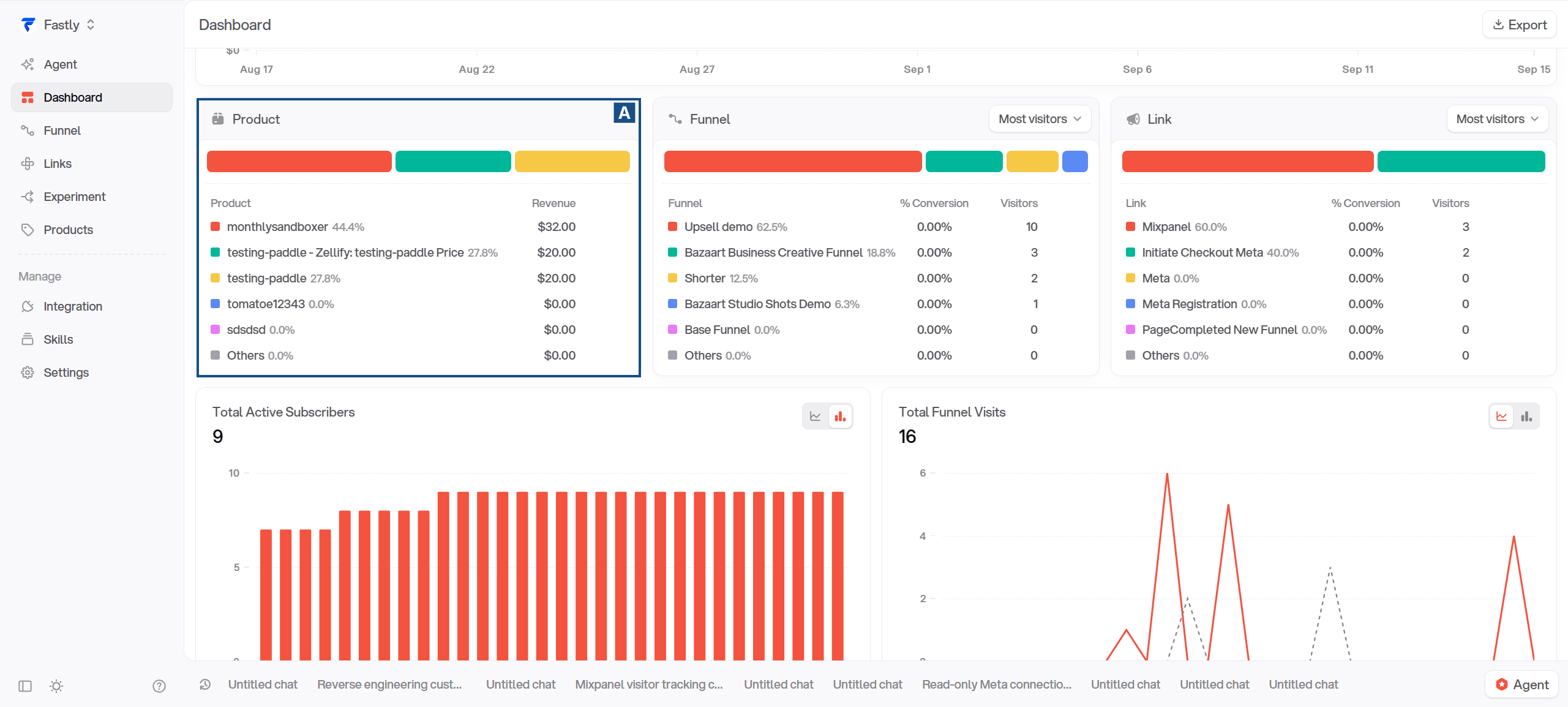
A Product-price revenue
S01-A
Revenue by product and price
Product revenue is Revenue split by product and price. Each row adds the payment lines for one product at one price in the selected period, converted to USD.
One-time payments, upsells, subscription starts, and renewals can all contribute. Refunded sales remain included, and test payments are included too.
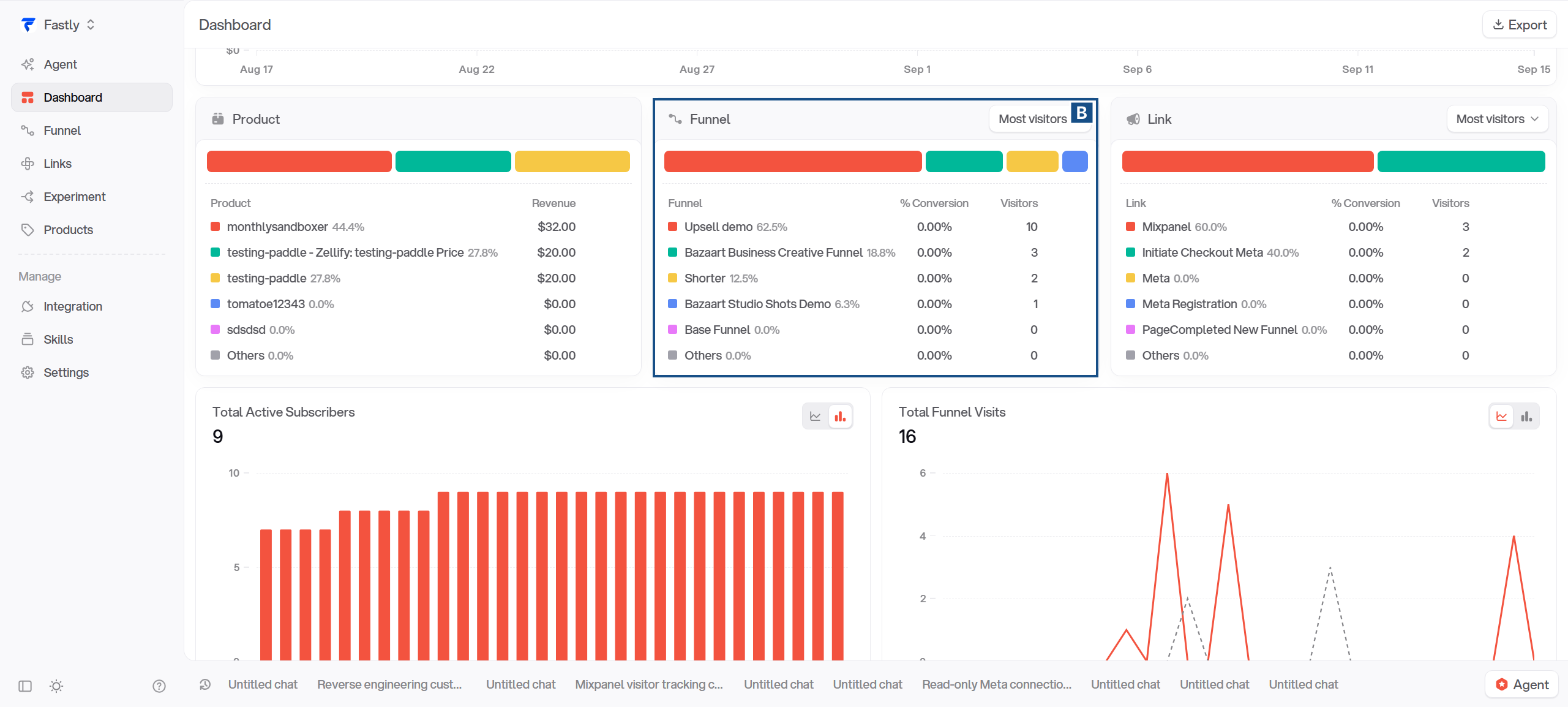
B Funnel breakdown
S01-B
Visitors and conversion rate
The Visitors column counts recorded sessions in each funnel that started during the selected period. Reopening the funnel in the same browser does not add a visitor. Opening a different funnel does, because each funnel keeps its own session.
A session is a cookie. When someone opens a funnel, the server issues a session ID and the page stores it in a cookie named _umc_<funnel id> on the address the funnel was opened from. Nothing else remembers the person: no localStorage, no account, no fingerprint. On the next visit the server reads that cookie and hands the same session back.
So "one visitor" means one browser on one device at one address. The same person on their phone and their laptop is two visitors. A different browser, a private window, or cleared cookies is a new visitor. The cookie lasts 400 days, so someone who comes back months later is still the same visitor, and because a visit is dated to the day the session started, that return does not add a visit to the current period at all.
The cookie name carries the funnel ID, so the same browser gets a separate session for every funnel it opens.
% Conversion is the number of sessions with included payments divided by that row's visitors.
A payment counts here under the same rules as the Conversions headline: completed (a refund does not undo it), a web purchase rather than an automatic renewal, dated inside the selected period, attributed to this funnel, and carrying a session ID. It is read from provider notifications; no browser event is needed.
The provider quirks from the Conversions section apply here too: a Paddle card update or a recovered Solidgate renewal can count, and a free trial counts on Stripe and Paddle but not on Inflow or Solidgate.
These three cards can show numbers up to five minutes old. The server reuses its last result for that long, and reloading the page does not bypass it.
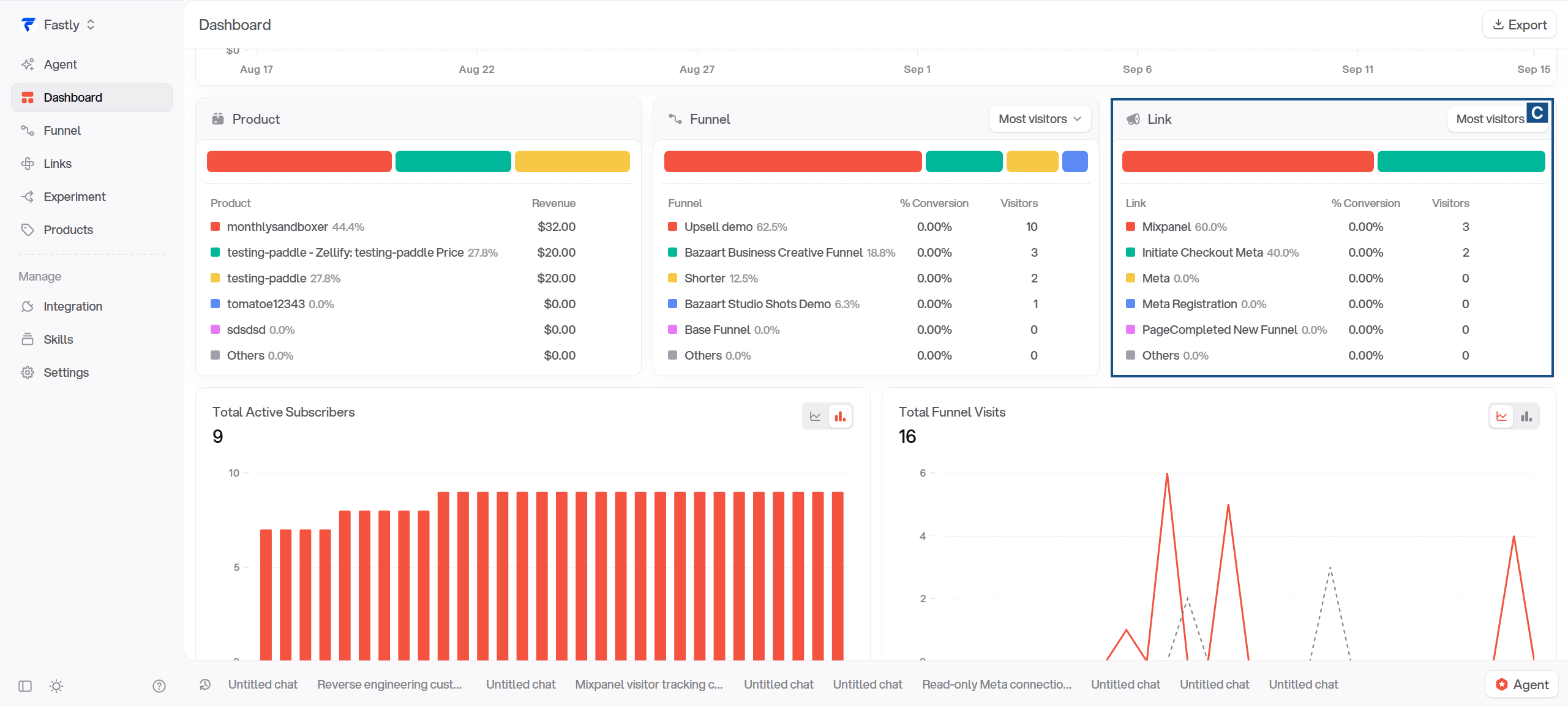
C Link breakdown
S01-C
Visitors and conversion rate
The Visitors column counts sessions that started in the selected period, whose attributed link is this one, and whose funnel is one the link currently points to. A session gets its link from the link it arrived through, and normally keeps it. Every session is counted under exactly one link, or under none.
How a session gets a link. Clicking a link goes through /zc/<link id>, which picks the destination funnel and sends the browser there. Along the way it sets a 30-day cookie on that address saying "this funnel was reached through link N". When the funnel page loads, the server reads that cookie, writes the link into the session (the _umc_ cookie from the Funnel card), and every event the session sends from then on carries it. The click itself records nothing; the session and its link exist only once the page has loaded and sent an event.
Once set, the link sticks. A later visit to the same funnel through a different link does not change it: the browser already has a session for that funnel, and the server keeps its link. The link changes only when the new URL carries zl_network= with one of google, meta, snapchat, or tiktok, which is what a real ad click carries. A click ID or UTM parameter alone is not enough. A direct visit without any link keeps the earlier link too.
Nothing stored is ever rewritten. A change means the server issues a new signed session cookie carrying the new link; events sent from then on carry it while the earlier events keep the old one. The report picks the link on the session's most recent event, over the session's whole life, and dates the session to its first event. So a session that started in March through Link A and sent events under Link B after an ad click in June counts as a March visitor for Link B, and a March report opened today shows it under B.
A session that never came through a link counts in the Funnel card and in Total Funnel Visits, but under no link here.
% Conversion is the number of sessions with included payments credited to this link divided by that row's visitors.
A payment is included under the same rules as the Conversions headline: completed (a refund does not undo it), a web purchase rather than an automatic renewal, dated inside the period, and carrying a session ID. A converting session counts once for the whole period, as in the Funnel card.
Where the payment's link comes from. At checkout the page copies the session's link, experiment, funnel and session ID into the payment provider's metadata. The provider echoes that metadata back in its webhook, and that is what the payment is credited to. Nothing else can attribute a payment: if the metadata is missing, the payment has no link, no session, and counts nowhere on this card.
The payment's link is frozen at checkout. If the session later sends events under another link after an ad click, the visit follows the newer link but the payment stays with the one it was made under. Link A can then show a conversion with no visitor, and its rate can pass 100%.
D Active subscribers
S01-D
How subscribers are counted
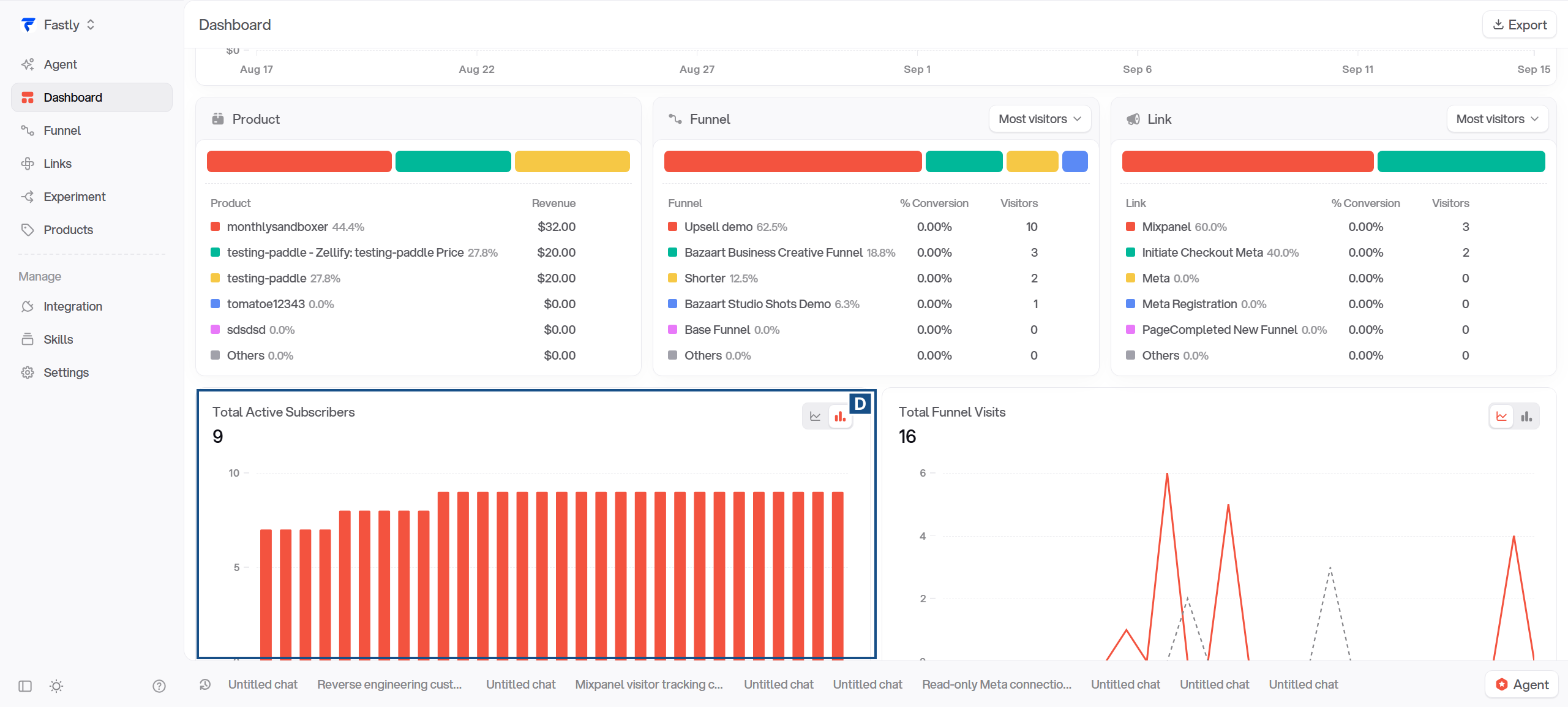
Total Active Subscribers is how many subscriptions were live on each day. A subscription is live from its start through the day it was cancelled, that day included. The number above the chart is the count on the last day of the period.
A subscription is identified by its provider and subscription ID. One customer with two subscriptions counts as two; one subscription with a quantity of five counts as one.
It uses the same subscriptions as MRR, under the same rules, including that a subscription cancelled and later reactivated counts for the gap. Unlike MRR it needs no saved price, so a subscription can be counted here and still be missing from MRR.
E Funnel visits
S01-E
What a funnel visit counts
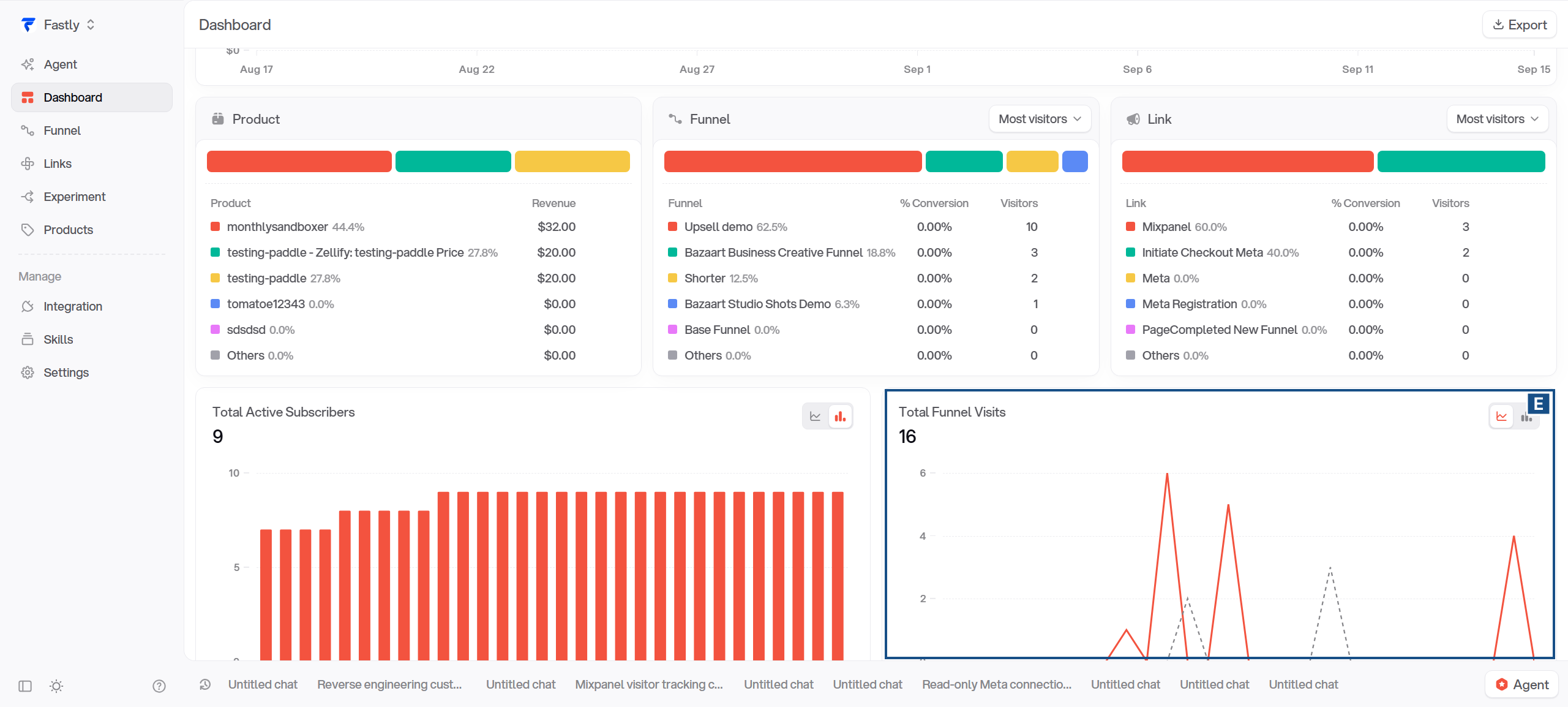
Total Funnel Visits is how many sessions started on each day across the selected funnels, added up. A session starts with its first recorded event in a funnel. It is the same session described in the Funnel card, and the same count the Conversion Rate above divides by.
Any event the page sends counts: a page view, a page completion, an email capture. Opening a link or loading a page that never sends an event records nothing. Events are timestamped in the browser, so an older event arriving late can move a session's start to an earlier day.
Counts appear once a background job has stored the events, usually within seconds. Requests recognised as bots are skipped.
A refunded payment is still a completed one. Refunding does not remove the conversion, the same way it does not subtract from Revenue.